With over 1,500 TLDs out there, manually checking whether your word is available on each one is impractical. The technique that works is bulk searching — enter a single word and check availability across all extensions at once. This is how I found handle.horse and followup.fish.
The best tool I’ve found for this is Namecheap’s Bulk Search (getdomainbook.com/resources/bulk-search). You enter a word, and it checks over 1,000 TLDs simultaneously. Here’s how I typically configure it: I enter one or multiple words I like, set the price range from zero to my maximum budget (in this case $1,000), and check “Show Premiums” to include domains that are already registered but listed for sale. I also check “Hide Unavailable” to keep the results clean. I leave “Append Prefix and Suffix” disabled — see My Two-Part Rule, since we’re already looking at non-.com extensions. Finally, I enable all TLDs.
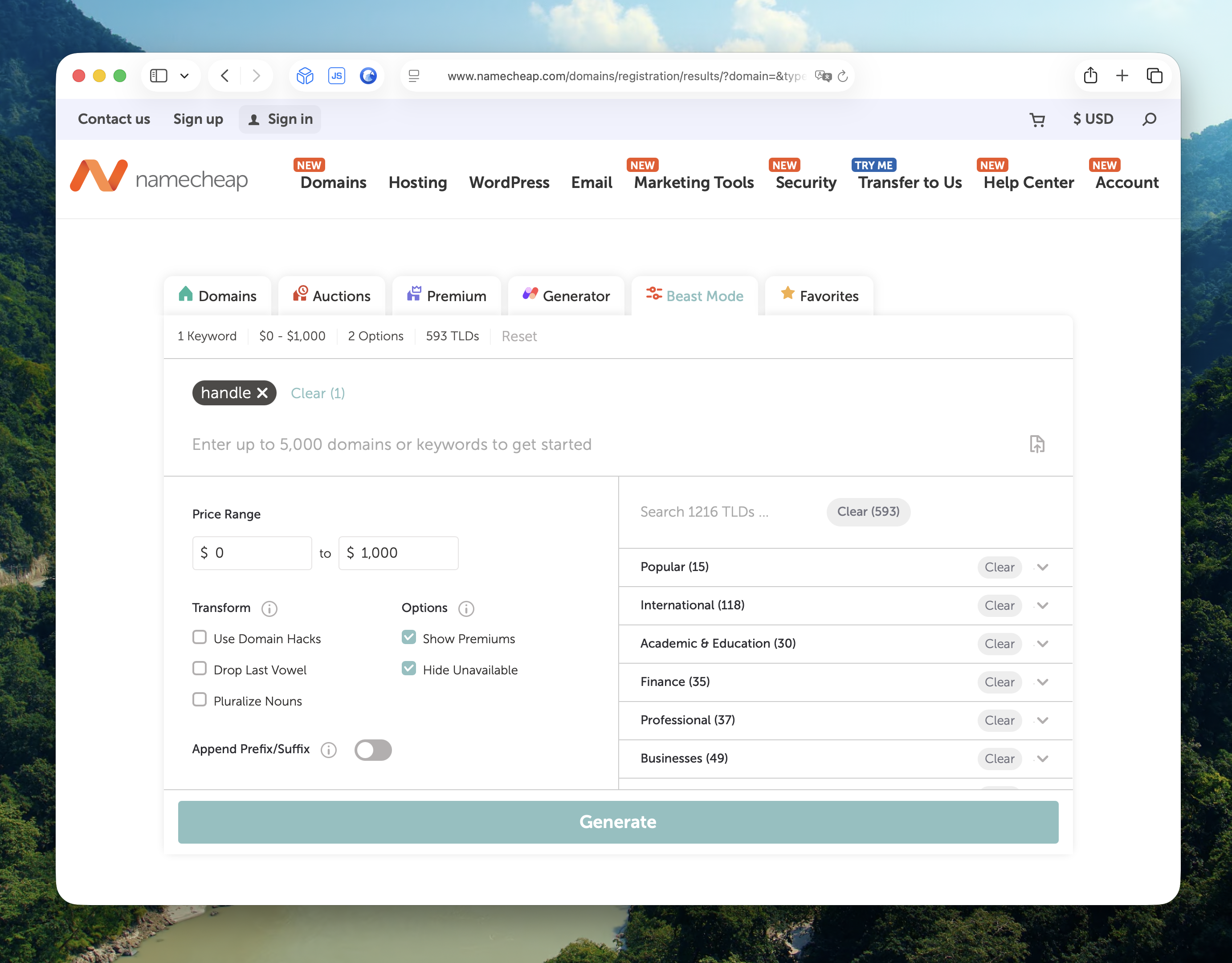
Here’s a snippet of the results for “handle”:
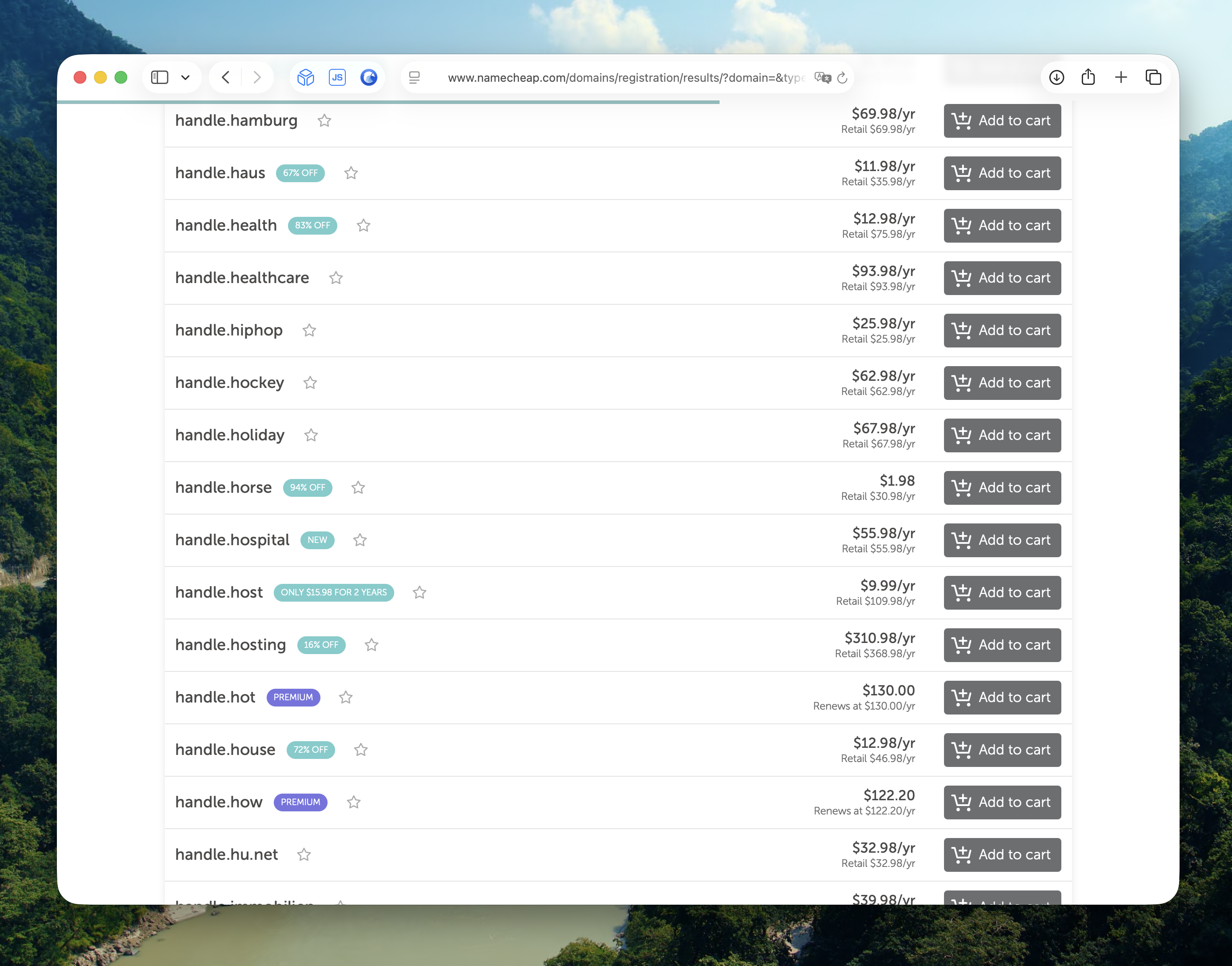
You’d be surprised how many less common TLDs still have single-word domains available. A word that’s been taken on .com for twenty years might be wide open on a TLD you hadn’t considered.
When browsing the results, I like to look for alliteration — where the word and the TLD start with the same letter. Handle.horse, followup.fish — the repetition makes them stick. There’s a reason alliteration is everywhere in branding: Coca-Cola, PayPal, TikTok, Mickey Mouse. It works.