After the two-part rule, this is probably the most practical technique in the book: bulk searching across TLDs.
With so many TLDs out there, manually checking whether your word is available on each one is impractical. The technique that works is simple: enter a single word and check availability across all extensions at once. This is one of the first things I do when brainstorming names. It’s how I found handle.horse and followup.fish.
The best tool I’ve found for this is Namecheap’s Bulk Search (getdomainbook.com/resources/bulk-search). You enter a word you brainstormed earlier, and it will list pretty much all the TLDs that are still available for that word.
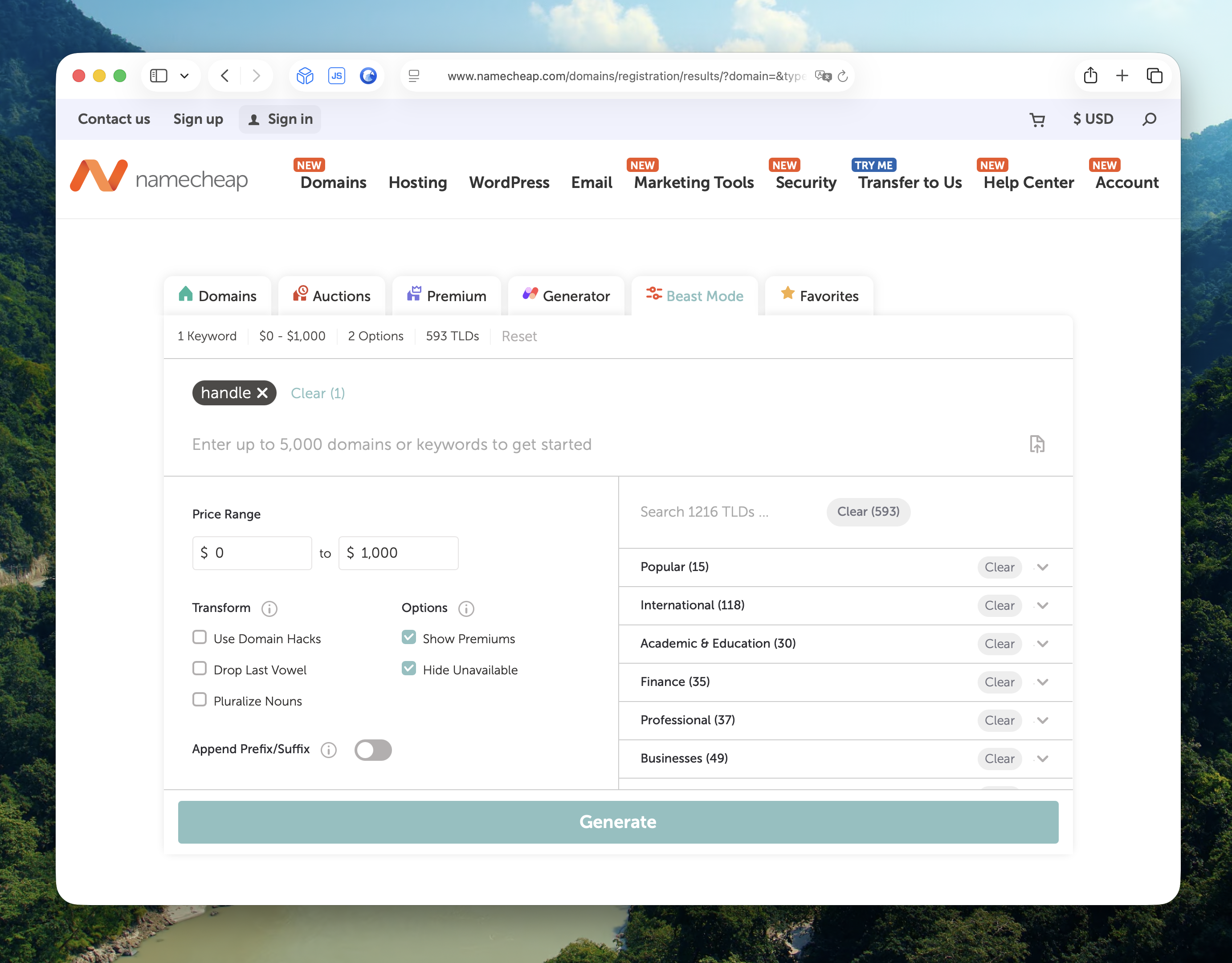
You can choose whether to include “premium” domain names. These are domains that are already registered and for sale. I leave it on, but set a price range to filter out the expensive ones (in this case $0 to $1,000). I also check “Hide Unavailable” to keep the results clean. I disable all other options, like “Append Prefix and Suffix” (see My Two-Part Rule, since we’re already looking at non-.com extensions), and have it search all TLDs. Here’s how I typically configure it:
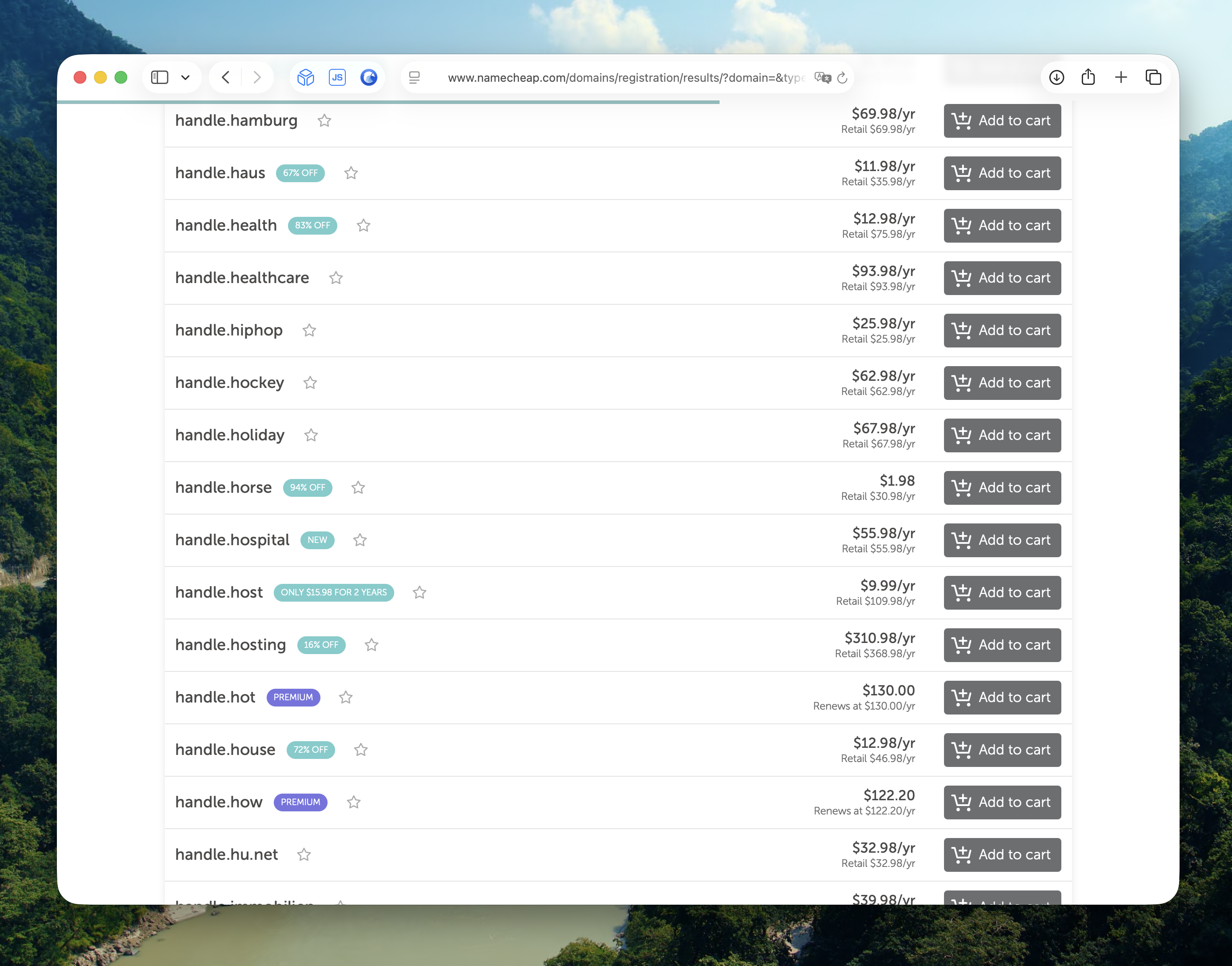
Many of these less common TLDs still have one-word domains available.
I like the use of alliteration (multiple words starting with the same letter) in these names, as they make them more memorable. Handle.horse, followup.fish. There’s a reason alliteration is everywhere in branding: Coca-Cola, PayPal, TikTok. And it’s not just brands. Mickey Mouse, Donald Duck, Bugs Bunny, Willy Wonka, the list goes on.
Instead of checking TLDs one by one, search your word across 1,000+ TLDs at once. A word that’s long gone as a .com might be wide open on a TLD you hadn’t considered.